Reports
In short. The Reports page gathers your sales numbers into ready-made tabs: overview, forecast, leaderboard, activities, funnels, velocity, calls, live calls, emails and timesheets. Pick a date range, read the charts, then export a PDF or share a read-only link.
Who it is for. Managers and owners who review the team’s numbers each week, and reps who want to see their own.
- Where it lives
- Insights › ReportsSettings › SCHEDULING › Calendar Analytics
- Plans
- SoloEssentialsGrowthScale
- Permission
- Reports
What it does
Section titled “What it does”- Overview: Pipeline Value, Deals Won, Conversion Rate, Total Activities, New Leads and Revenue, plus a daily activity breakdown.
- Forecast: quota coverage, weighted forecast against target, a team roll-up, the deals behind the number, and how the forecast moved during the period.
- Leaderboard: ranks the whole team on a combined score.
- Activities: totals for calls, emails, meetings, notes and SMS, daily volume, the mix by type and a breakdown by team member.
- Funnels: how long deals spend in each stage.
- Velocity: Win Rate, Avg Deal Value, Avg Cycle Length and Deals in Pipeline, the sales velocity formula and its trend.
- Calls: Total Calls, Connect Rate, outcomes, Avg Call Duration, daily call volume and calls per rep.
- Live Calls: the calls your team is on right now.
- Emails: Sent, Received, Open Rate, Click Rate, Reply Rate and Bounce Rate, and the best times to send.
- Timesheets: billable hours by team member and by project.
- Shows only the data your role may see: your own, your team’s or everyone’s, set by the Reports permission.
What it does not do
Section titled “What it does not do”- It does not let you build your own reports. The tabs and charts are fixed.
- It does not let managers filter by a person, unless they are a system admin. The All Users filter is shown only to system admins.
- It does not show the Timesheets tab to anyone but system admins yet, even when their role has the View Timesheets permission.
- It does not schedule reports by email. Export a PDF or share a link when you need to send numbers.
- It is not on the Solo plan.
Set it up
Section titled “Set it up”There is nothing to switch on for Essentials, Growth and Scale. An admin decides who sees what:
- Open Settings → Roles and pick a role, for example Employee.
- Under Reports, choose Own, Team or All to set whose numbers the role sees.
- Tick View Leaderboard for roles that should see the Leaderboard tab.
- To show Live Calls, tick Listen Live under the role’s Calling permission.
- To show Forecast, the role needs to view leads.
Works the same on mobile.
Use it day to day
Section titled “Use it day to day”Review the week. Tom Fischer opens Reports in the sidebar on Monday, picks Last Week in the date range, and reads the Overview. Then he switches to Calls to check Connect Rate and calls per rep.
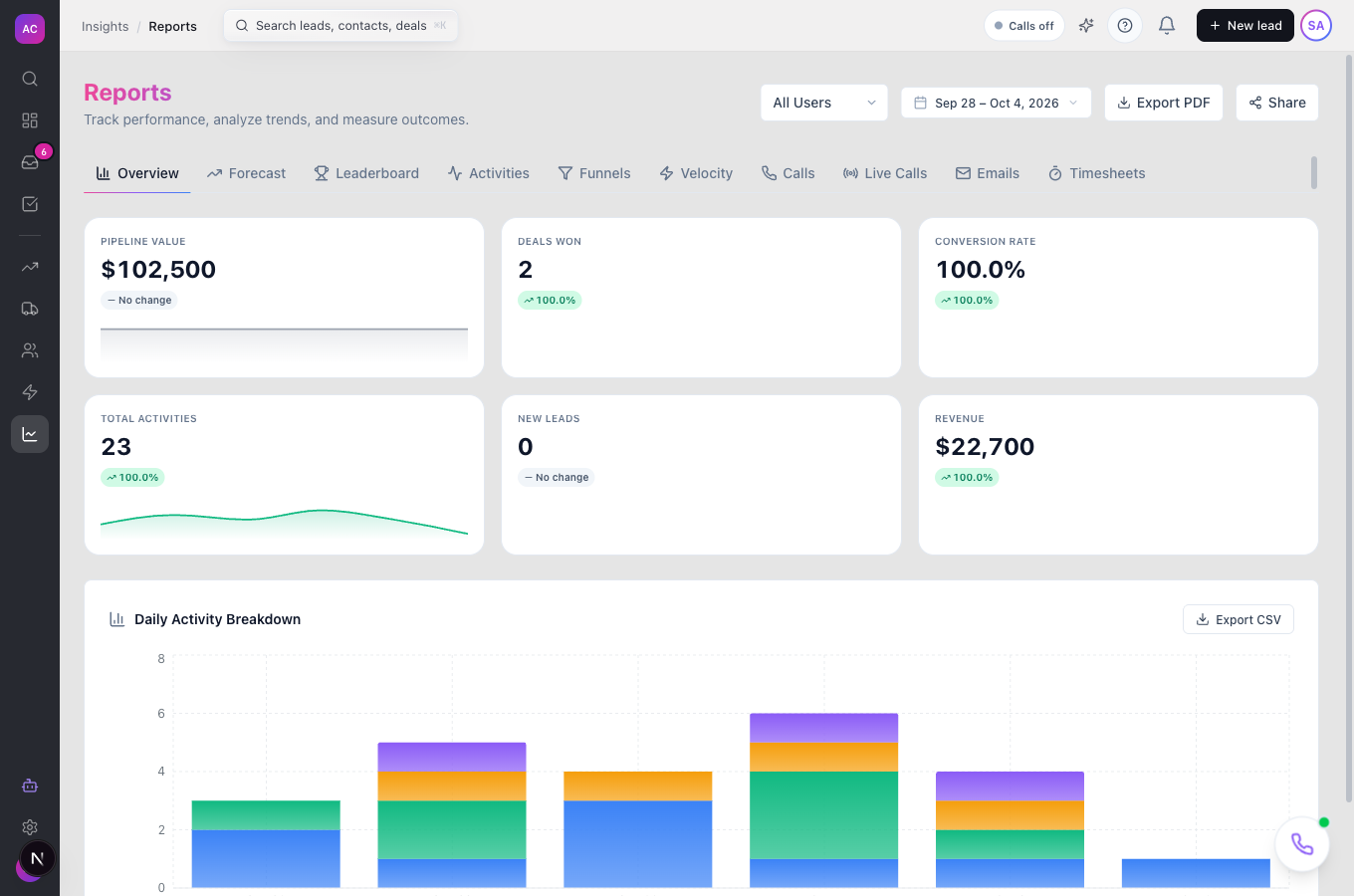
Pick a date range. Choose a preset (Today, Yesterday, This Week, Last Week, This Month, Last Month, This Quarter, Last Quarter, This Year) or Custom for your own dates. Every tab follows the same range.
Check the forecast. Open Forecast to see the weighted forecast against target and the deals that make it up.
Export a PDF. Click Export PDF to download the current tab for the selected range.
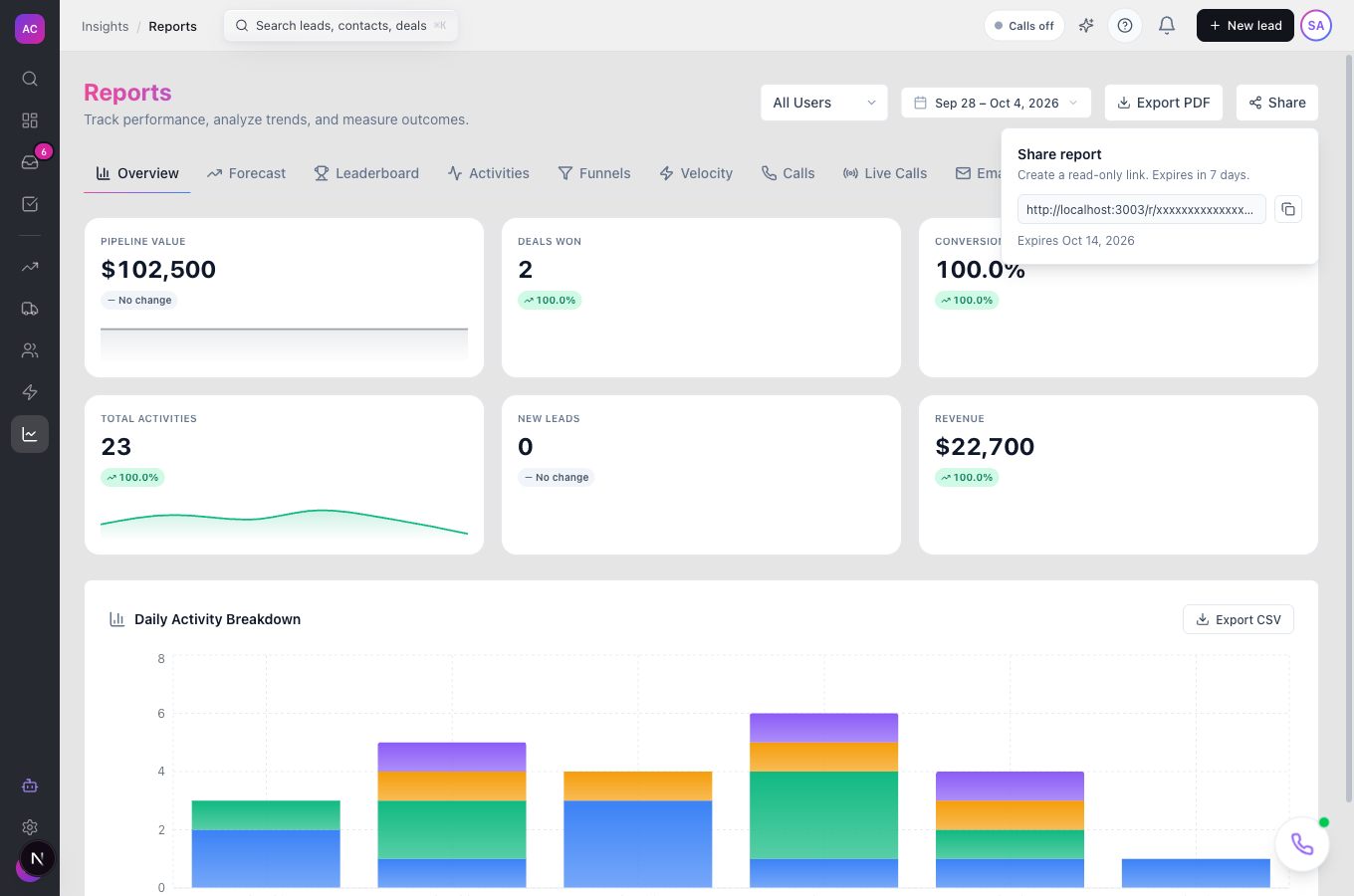
Share a read-only link. Click Share, then Generate link, then the copy button. Anyone with the link can see a snapshot of that tab, without signing in, for 7 days.
Rules and limits
Section titled “Rules and limits”| Rule | Value |
|---|---|
| Plans | Essentials, Growth, Scale |
| Date range presets | Today, Yesterday, This Week, Last Week, This Month, Last Month, This Quarter, Last Quarter, This Year, Custom |
| Whose data you see | Own, Team or All, from your role’s Reports permission |
| Leaderboard tab | needs View Leaderboard |
| Live Calls tab | needs Calling → Listen Live |
| Forecast tab | needs permission to view leads |
| Share links | read-only snapshot, no sign-in, expire after 7 days |
| PDF export | the current tab and date range |
Troubleshooting and FAQ
Section titled “Troubleshooting and FAQ”I cannot find the Timesheets tab. It is shown only to system admins for now. Timesheet totals are also on the Timesheets page.
A tab is missing. Leaderboard, Live Calls, Forecast and Timesheets each need their own permission. See Set it up.
The numbers differ from my colleague’s. You see different data if your roles have different scopes. Compare with the same scope and the same date range.
A shared link stopped working. Links expire after 7 days. Generate a new one.