Calling and power dialer
In short. Click Call on a lead and the call happens in your browser. Every call is recorded, transcribed and logged with an outcome, notes and an optional callback. Admins decide how inbound calls ring the team, and managers can listen in live.
Who it is for. Reps on the phone all day. Managers coaching live calls. Admins setting up numbers, ring groups, menus and compliance.
- Where it lives
- Settings › CALLING › OverviewSettings › CALLING › Ring GroupsSettings › CALLING › Phone MenusSettings › CALLING › Call RoutingSettings › CALLING › Voicemail Drops
- Plans
- SoloEssentialsGrowthScale
- Permission
- Calling
What it does
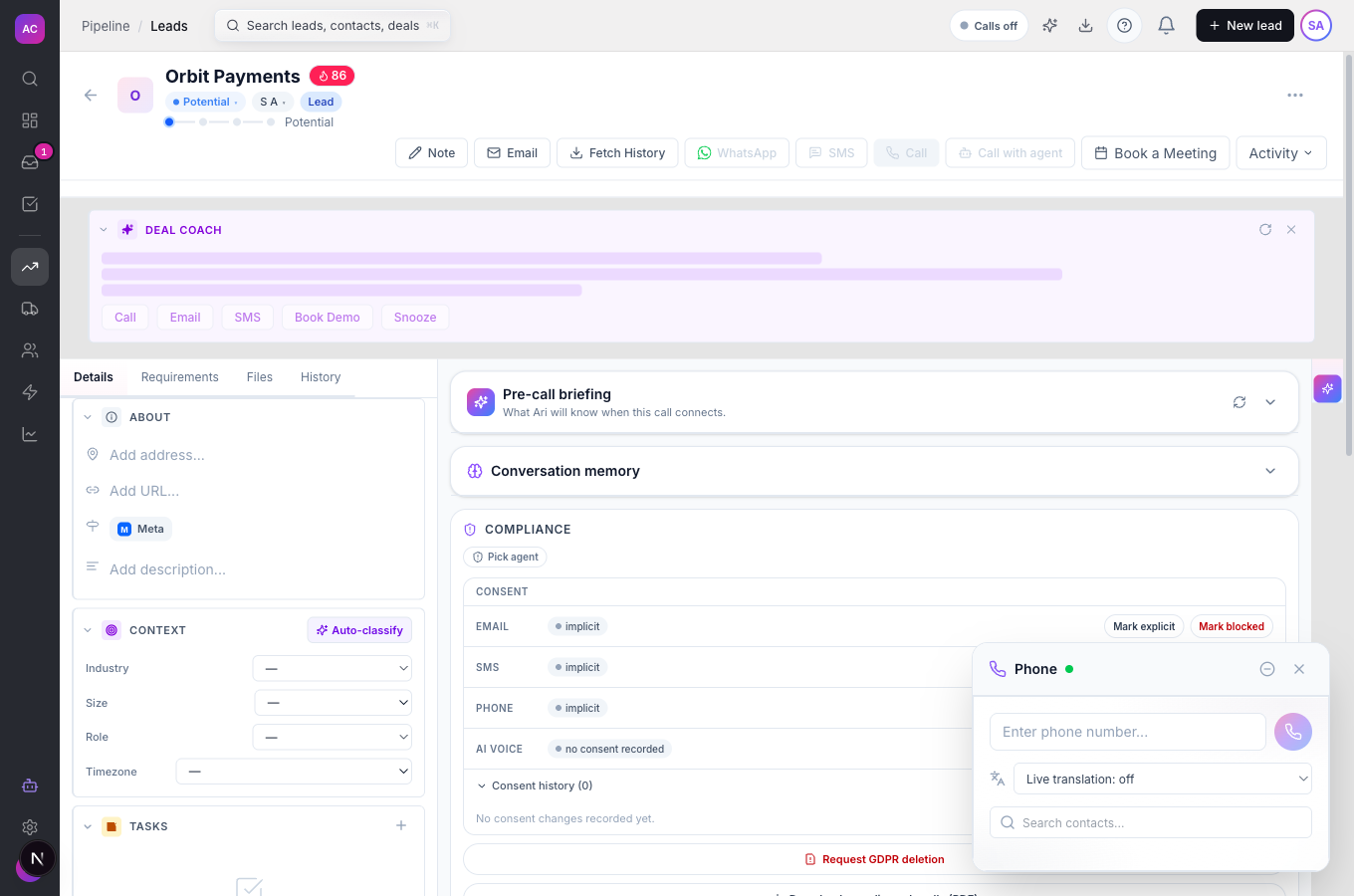
Section titled “What it does”- Places calls from the lead page through a floating Phone panel, with mute, hold, keypad, warm or cold Transfer call, Drop voicemail and Schedule callback during the call.
- Takes inbound calls with an Incoming Call toast you accept or decline, and routes them in this order: the number’s phone menu, then the first matching routing rule, then the number’s AI agent if set, then its ring group, then its assigned user, then a polite “no one is available” message with voicemail.
- Opens the Call Disposition dialog after each call: outcome (Interested, Not Interested, Follow Up, No Answer, Voicemail, Wrong Number, Busy, Callback Requested), notes, an optional follow-up task and an optional callback.
- Records every call, transcribes it, and can summarise and score it. Recordings play from the lead’s timeline.
- Reminds you of callbacks 15 minutes before they are due, lists them under Callbacks due in the dialer, and escalates to your manager when one is 30 minutes overdue.
- Lets managers with the right capabilities open Reporting → Live Calls and Listen, Whisper (only the rep hears) or Barge (everyone hears).
- Enforces calling hours in the contact’s time zone, respects revoked consent and do-not-call rules, and logs any override with the rep’s reason.
- Gives admins ring groups, phone menus, routing rules per number, voicemail drops and a compliance overview.
What it does not do
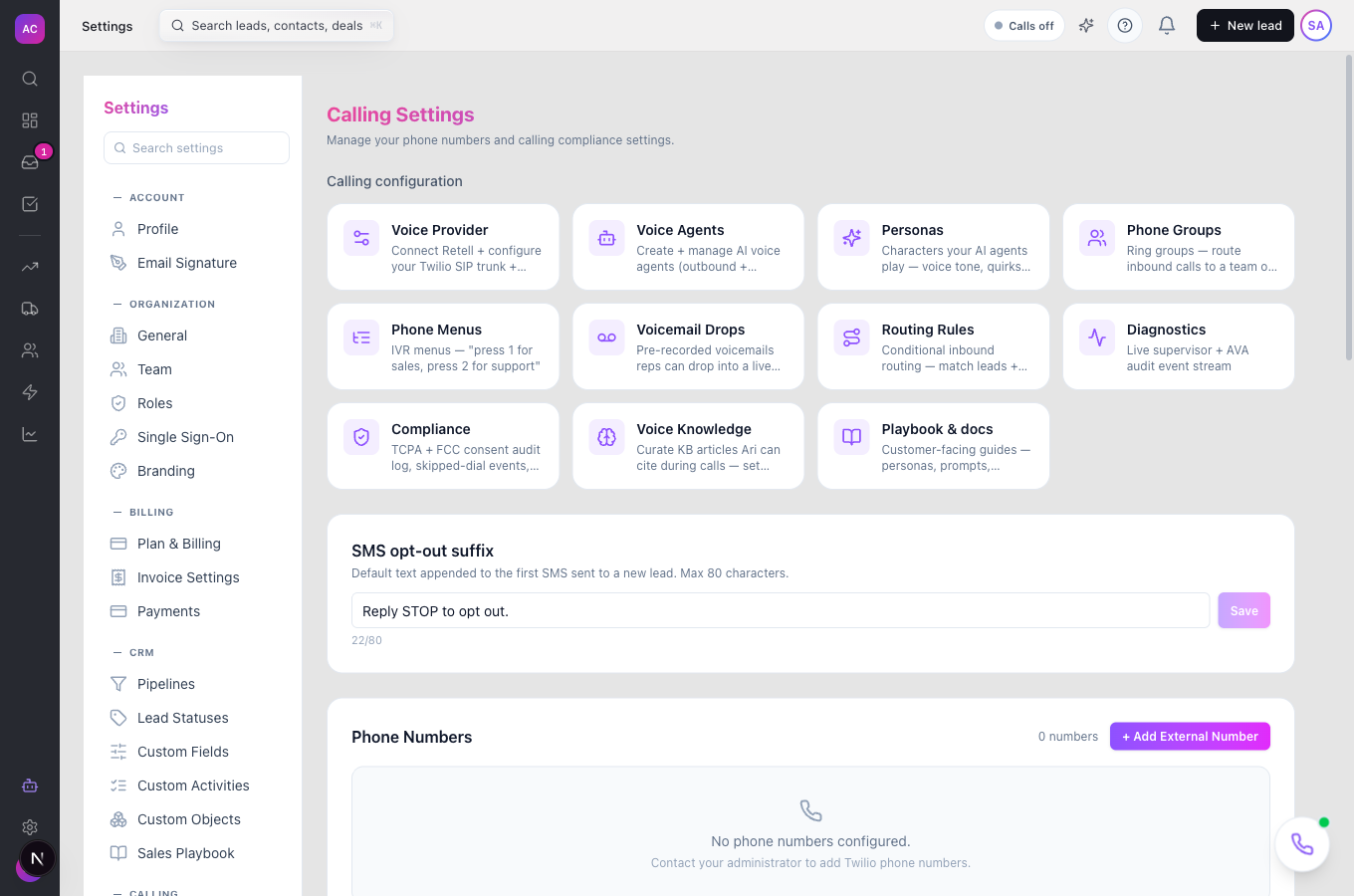
Section titled “What it does not do”- It does not buy or port numbers from the app. Numbers are provisioned for your workspace by the platform; the settings page says “Contact your administrator” until one exists. You can add a number you already own as an outbound caller ID.
- It does not dial a number that is not attached to a lead. Pick a contact; free-typed numbers are not supported yet.
- It does not start a Power Dialer session from the Leads list yet. The dialer’s queue mode exists, but there is no button to launch it.
- It does not attach a phone menu or ring group to a number from the settings pages yet. Ring groups are reached through a routing rule’s “Route to ring group”.
- It does not show call costs. Usage appears on your bill.
Set it up
Section titled “Set it up”- Open Settings → Calling. If you see “Calling isn’t included in your current plan”, calling needs Essentials or above.
- Check Phone Numbers. If the list is empty, ask support to provision a number. To call out from a number you already own, click + Add External Number, enter it in international format, answer the verification call and click I entered the code.
- For inbound: create a Ring group under Phone Groups (name, Simultaneous, Round robin or Sequential, ring timeout, what to do on no answer). Then under Call Routing add a rule on the number: a condition such as lead status or owner, and Route to a user, ring group, external number, voicemail or AI agent. Rules fire in priority order; the first match wins.
- Upload Voicemail Drops (MP3, WAV, WebM or OGG, up to 3 minutes) and star one as the default.
- Under Settings → Call Compliance review the calling-hours overview and switch on the jurisdictions that apply to you.
On mobile the dialer opens as a bottom sheet, and the floating call button appears on lead pages.
Use it day to day
Section titled “Use it day to day”- Call. Open the lead, click Call. The first time, allow the microphone when the browser asks. Pick the contact and dial.
- Outside hours? If the contact’s local time is outside 8:00 to 21:00, or it is a weekend or holiday in a restricted region, the app asks for a reason before it lets you call. The reason is logged.
- While talking. Use Hold when you need a moment, Transfer call to hand over (warm to consult first, cold to hand off at once), Drop voicemail when you hit an answering machine, Schedule callback when they ask you to.
- Log it. Choose the outcome, add notes, tick Create follow-up task if you promised something, Save Disposition. Closing the dialog without saving logs the call as No Answer.
- Fix an outcome later. On the lead’s timeline, click + Set outcome on the call.
- Coach. Managers open Reporting → Live Calls, pick a call and click Listen, Whisper or Barge.
Rules and limits
Section titled “Rules and limits”| Rule | Value |
|---|---|
| Plans | Essentials, Growth and Scale |
| Calling window | 8:00 to 21:00 in the contact’s time zone; jurisdictions can narrow it, never widen it |
| Ring group | 1 to 50 members, ring timeout 5 to 120 seconds |
| Phone menu | 1 to 12 keypad options |
| Voicemail drops | 10 per workspace, 25 MB and 3 minutes each |
| Callback reminders | 15 minutes before; overdue escalation after 30 minutes |
| Recording | every call, stored encrypted |
| Who can call | the Make Calls capability; Listen and Barge are separate capabilities |
| Dialer queue | up to 500 leads per session, one session per person |
Troubleshooting and FAQ
Section titled “Troubleshooting and FAQ”“Microphone permission denied”. Click the lock icon in the address bar, allow the microphone, then try again.
“Calling not configured”. The workspace has no voice provider connected. An admin sets it up under Settings → Calling → Voice Provider.
The Call button is greyed out. The lead has no contact with a phone number, or your role lacks Make Calls.
“This contact has revoked consent to be called”. Consent was withdrawn on the lead. There is no override; use email instead.
The caller heard “no one is available”. The number has no menu, rule, ring group or assigned user that matched. Add a routing rule with “Any call” as the condition.
My recording is missing. Recordings arrive a few seconds after the call ends. If a call shows no recording after a minute, the provider did not return one.